Monsoon
Keep a growing city dry through a monsoon, by shaping where the water goes.
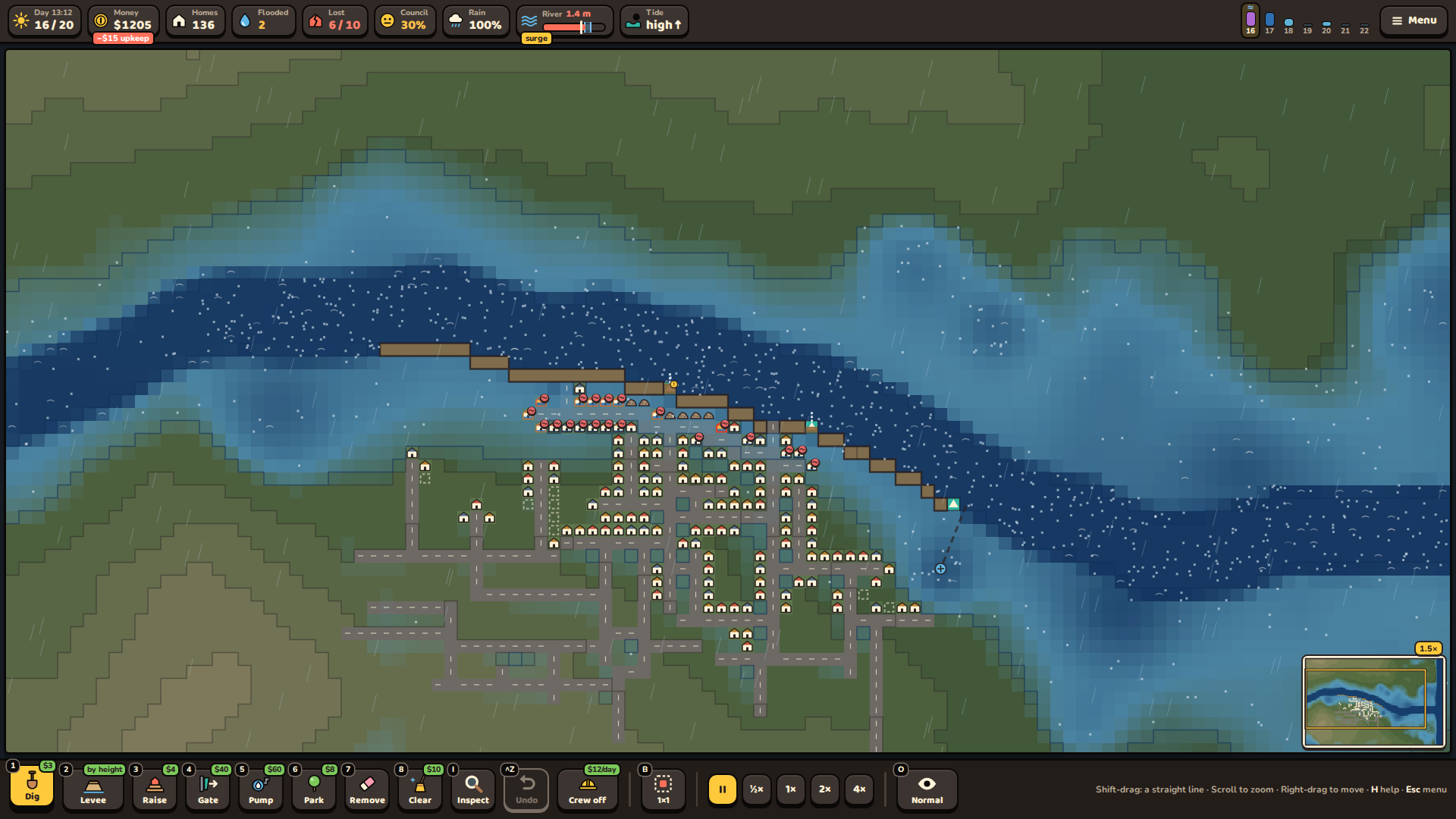
You're the city's drainage engineer. For 20 days the monsoon comes and goes. Rain soaks into the soil until it's full, then runs downhill. The river keeps rising long after each storm, as the water from upstream arrives. The tide pushes back from the sea twice a day.
And the city grows by itself. It never asks you first: it paves the land, fills in the wetlands and lays raised roads that dam the water.
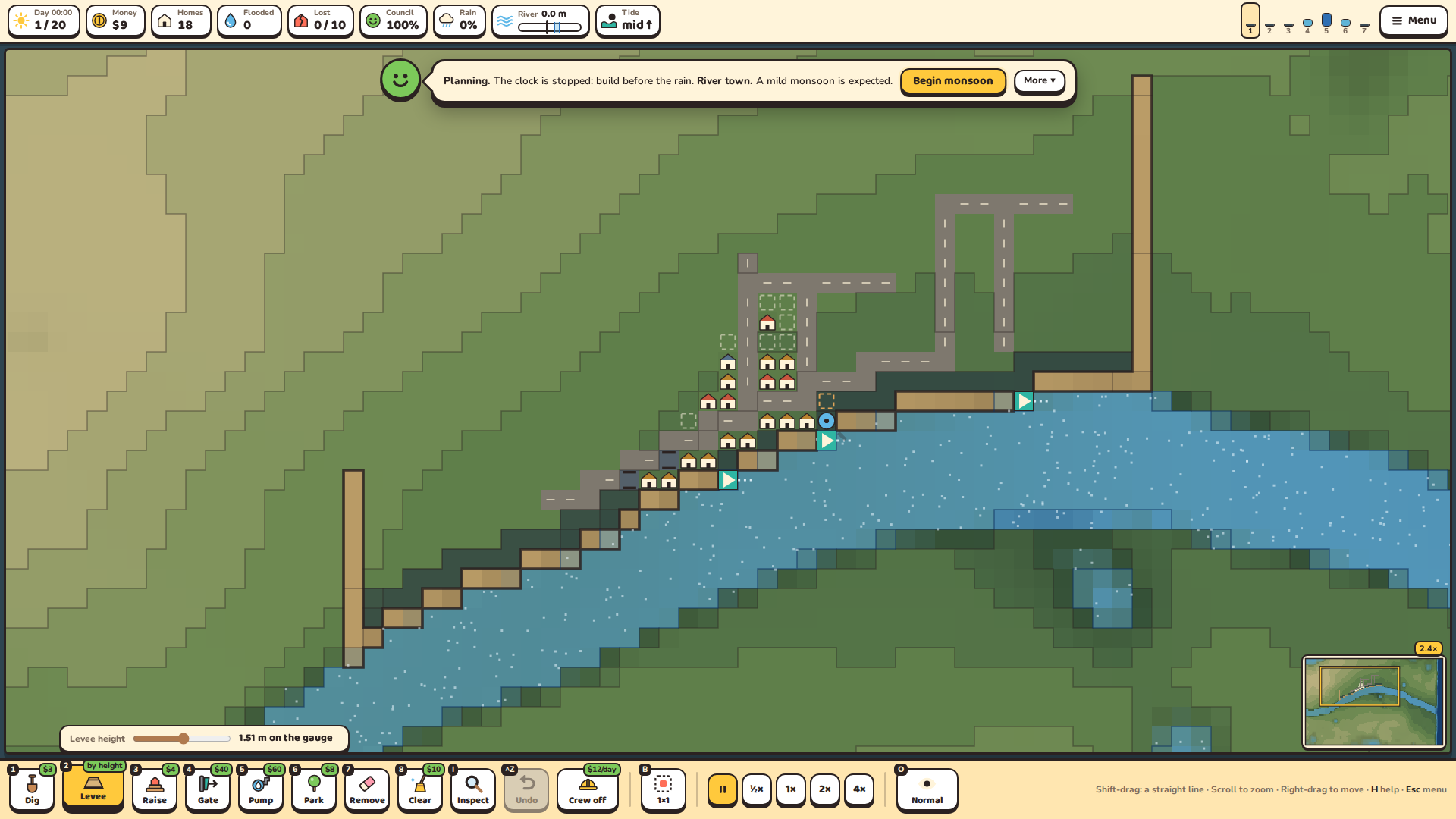
You never build a home. You shape the land and the water: dig canals, build levees, raise the ground under streets and homes, and place one-way gates, pumps and parks. Every fix moves the problem. A levee keeps the river out, but it traps the rain in. A pump empties one street into a river that rises downstream.
Keep the homes dry. Lose too many, or let the council run out of patience, and the city fires you.
A simulation of water, and of a city
- Water that flows. Every square of the map has a height, water and soil. Water runs downhill with momentum, pools in the low spots and finds every gap. Soil soaks up rain like a sponge, so two storms in a row flood what one couldn't.
- Rivers, tides and surges. The river peaks after the rain stops. High tide slows drainage to the sea, and a storm surge pushes the sea up the river.
- A city with a mind of its own. It grows onto the land that floods, remembers where it flooded, builds a bridge once it's rich and safe enough (the better you do, the sooner), and its families move away when their homes go under. The council loses patience while the streets stay flooded.
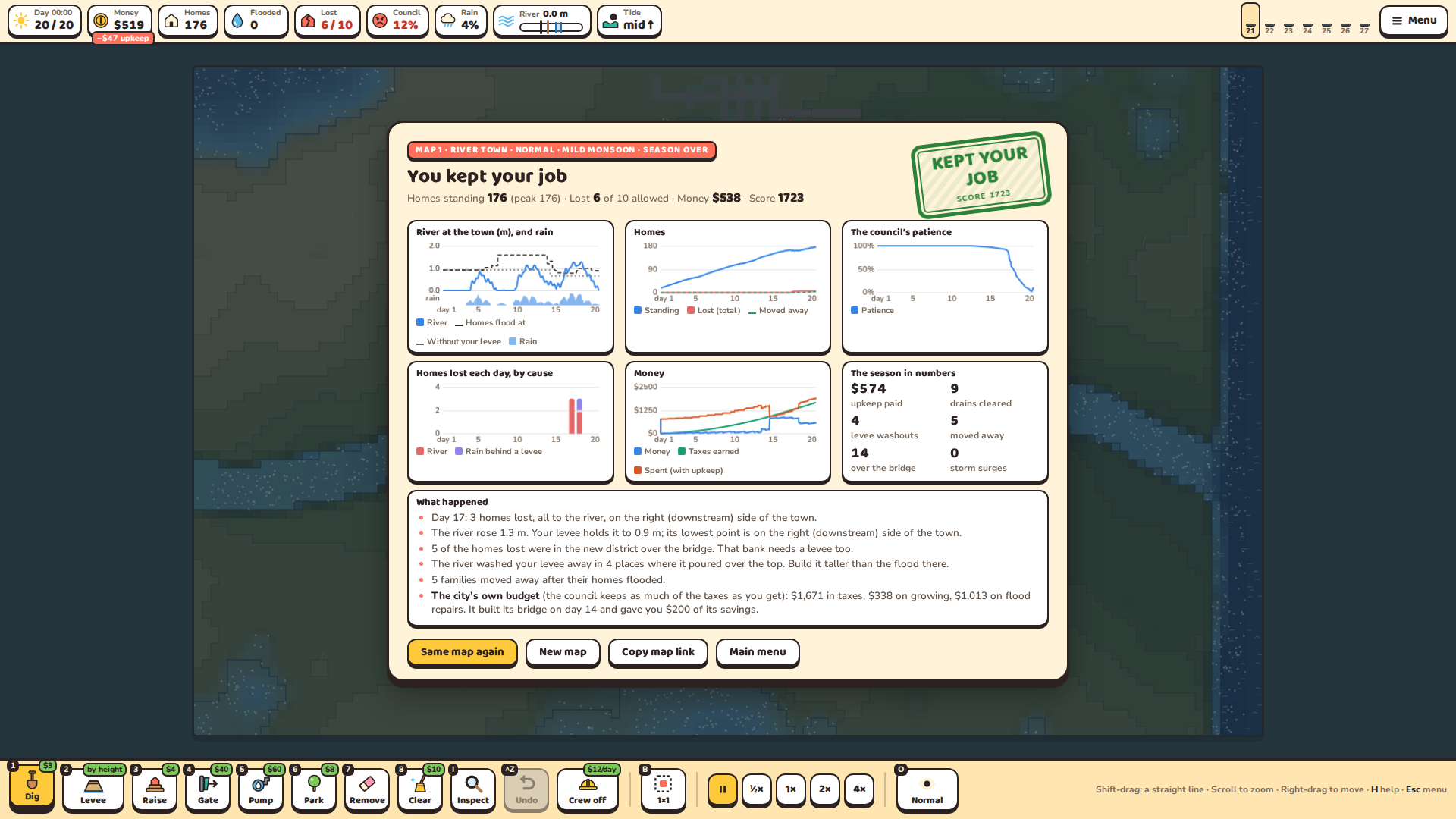
- Feedback you can read. Tags on flooded homes say why: the river, the rain, the tide, or rain trapped behind your own levee. A river gauge shows the height at which your town floods. The end of each season shows what happened, day by day.
Features
- Nine places, each with its own danger: River town, Rain belt, Hill town, Dry riverbed, Levee town, Coastal town, Canal city, Twin rivers and Delta
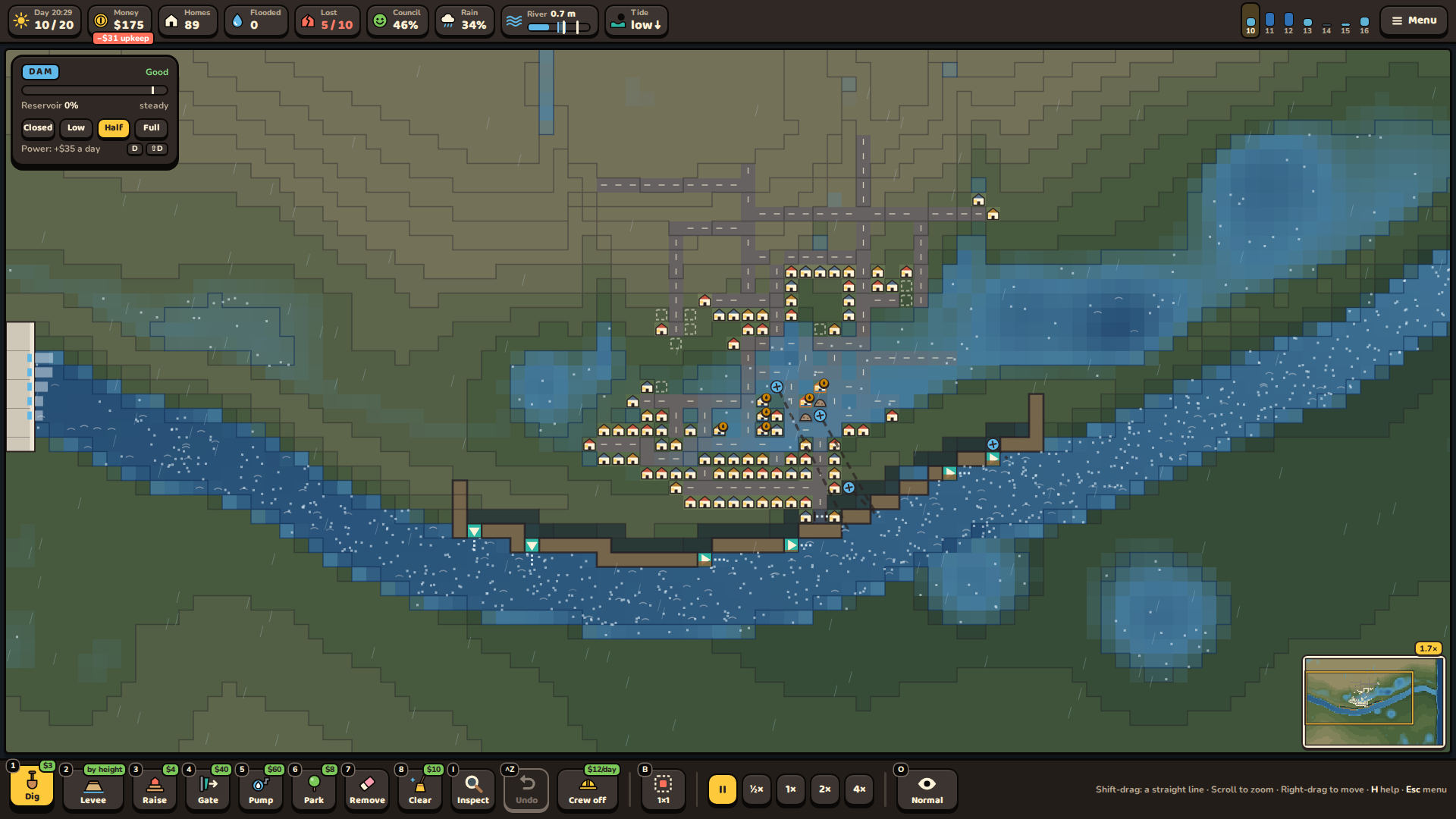
- A big dam you can switch on for any map: set its release, earn money from its turbines, and don't let it overfill, or it cracks and gives way
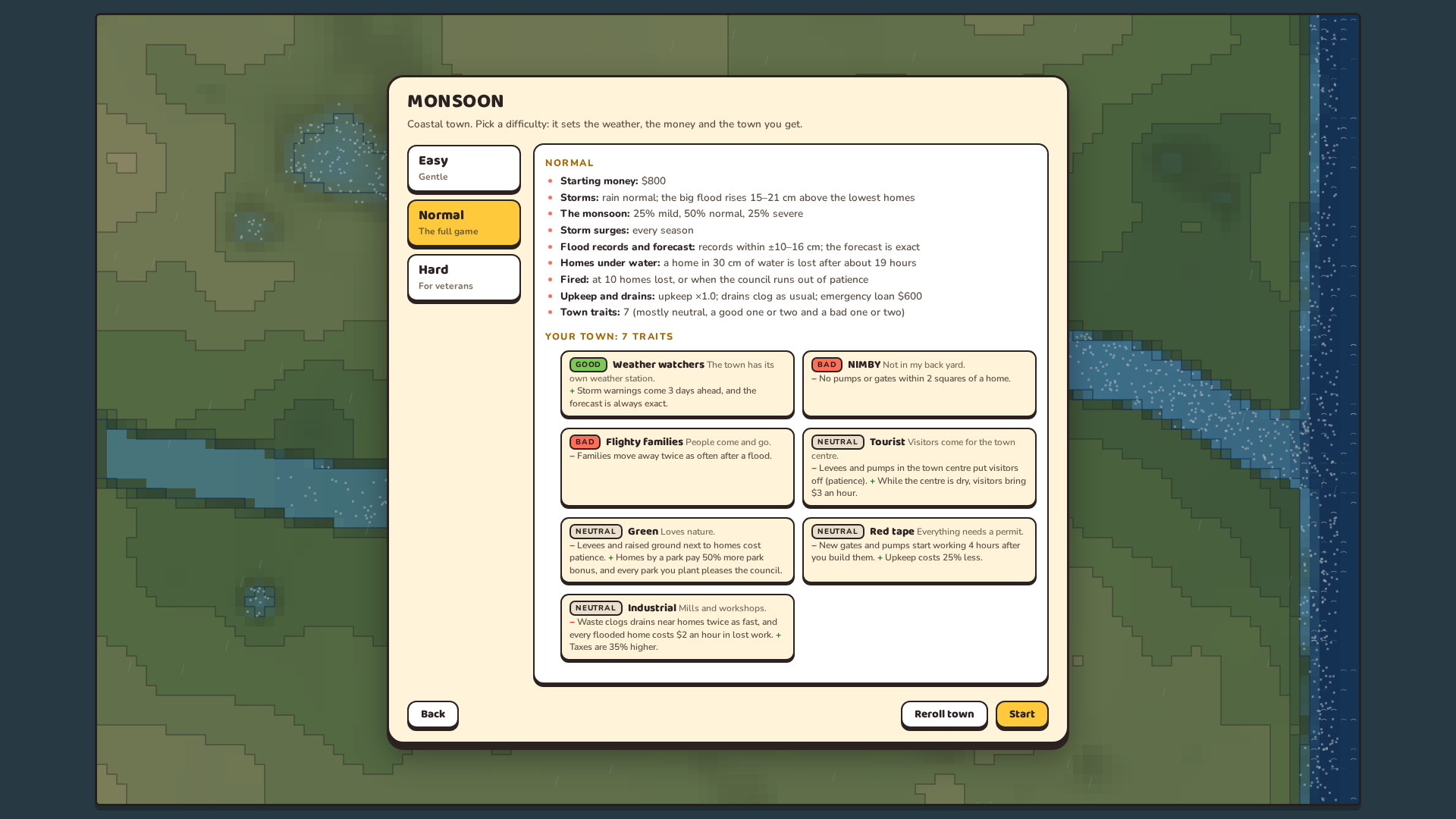
- Every town has its own character: 4–7 traits out of 60 (Rebuilders, Weather watchers, NIMBY, Trashy…) that bend the rules, rolled for each new map
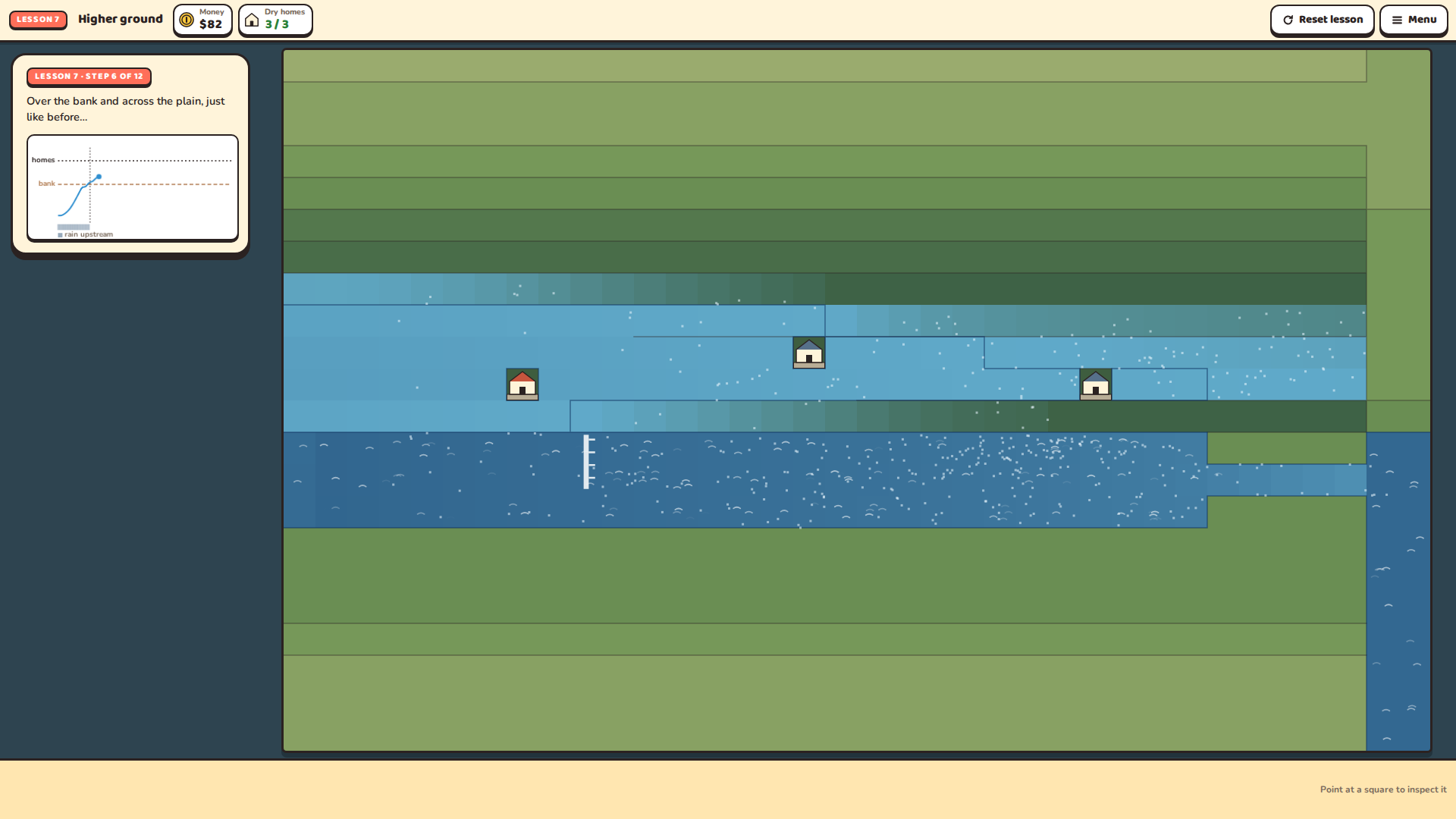
- 12 short tutorials, from digging your first canal to surviving a severe monsoon
- A new map every season, and map links to share a map with friends
- Three waves of storms every season, with calm days between them to fix what went wrong, and a storm report after each wave
- A flood record for every map (“floods here reach 1.25 ± 0.11 m”) to plan your levees by
- Levees built to the height you choose in one drag, homes raised onto plinths (up to 70 cm, with permits), pond parks, and an emergency loan before the big storm
- Easy, Normal and Hard change the floods themselves: how high they get, the rain, storm surges, how long a home holds out under water, and how far you can trust the forecast. The difficulty screen shows exactly what changes
- Mild, normal and severe monsoons, and storm surges from the sea
- Upkeep, drains that clog with trash, levees that wash away, and a maintenance crew
- A hand-drawn paper-and-ink look, in light or dark (or following your computer)
- Original music made in code, inspired by Raag Megh and Bengal's boat songs: one theme, a track for each kind of place that follows the storm, the big storm, the dam, and every new home adds a note (Full, Calm or Off)
- Graphics and sound all made in code: rain, rivers, thunder, frogs at night
How to play
- New here? Start with Tutorials. Lessons 1–7 teach the tools, a few minutes each; Lesson 8 is a whole first season with help along the way.
- Choose New game, pick a place, then a difficulty, and meet your town. The clock is stopped while you plan: read the land, the river and the forecast, and build.
- Press Begin monsoon. Speed up on dry days; the game pauses when a heavy storm starts, and after each wave of storms with a report on what happened.
- Make it through all 20 days to keep your job.
Controls
| 1–8 | Dig · Levee · Raise · Gate · Pump · Park · Remove · Clear |
| Drag | Build along a line |
| Shift + drag | Build a straight line (you see its cost first) |
| [ / ] | Levee height (or the slider above the Levee button) |
| I or right-click | Put the tool down (Inspect: point at a square to see what's there) |
| Scroll, + / − | Zoom |
| Right-drag, middle-drag, arrow keys | Move around the map |
| Space / S | Pause / change the speed |
| B | Brush size for Raise, Park and Dig (1×1 or 3×3) |
| O | Change the view (soil wetness, flood memory, where the city grows next) |
| D / Shift+D | The dam's release up / down (on a map with the dam) |
| Ctrl+Z | Undo your last drag (for 3 in-game hours) |
| H | Help |
| M | Sound on / off |
| Esc or P | Pause menu: Resume, Options, Save and quit |
Good to know
- Monsoon is played with a mouse and a keyboard, in a browser on a computer.
- The sound starts after your first click. Volumes, and the light or dark look, are in Options.
- Your season saves itself every morning: pick Continue on the main menu to carry on. Your tutorial progress and settings are saved in your browser too (Options → Reset progress clears them).
Credits
Made by MAdG for the Game Gauntlet SIM Jam 2026.
All graphics, sound and music are made in code. The only third-party assets are two fonts, Baloo 2 and Nunito (SIL Open Font License), built into the game; the cover and the banner use them too.
AI disclosure: Monsoon was made with the help of an AI assistant (Claude, by Anthropic), for code, text, sound and music. No AI is used while you play.
Download
Click download now to get access to the following files:
Development log
Leave a comment
Log in with itch.io to leave a comment.